A well‑designed Display Screen Equipment (DSE) setup isn’t just a box‑ticking exercise—it’s a legal requirement and a cornerstone of keeping people healthy, comfortable, and productive at work. The UK’s Health and Safety (Display Screen Equipment) Regulations 1992 set out clear duties for employers and expectations for workers, and understanding them helps prevent avoidable discomfort and long‑term health issues.
The DSE Regulations apply to anyone who uses a screen for an hour or more as part of their normal work. These workers are classed as DSE users. Employers must:
These duties apply whether someone works in an office, hybrid, or from home.
Prolonged screen use can lead to a range of health issues if workstations aren’t set up correctly. While the risks are often low, they become significant when poor posture, unsuitable equipment, or long periods without breaks are involved.
A good DSE setup helps:
DSE‑related problems typically develop gradually, which is why early reporting and proper assessments are so important. Key issues include:
These conditions can be prevented or significantly reduced with proper workstation design and regular review.
Workers have a responsibility to report discomfort, pain, or any issues with their workstation as soon as they arise. The regulations expect users to:
Speaking up isn’t complaining—it’s essential for preventing minor discomfort from becoming a long‑term health problem.
A DSE assessment must be carried out:
Assessments should look at:
Where risks are identified, employers must take action—whether that’s adjusting equipment, providing accessories, or changing work routines.
A strong DSE culture is built on:
This isn’t just about compliance—it’s about valuing people’s health and ensuring they can work comfortably and effectively.
Take a look at the infographic below to offer guidance.
Contact us if you require a DSE assessment or would like further information.

 DSEAR stands for Dangerous Substances and Explosive Atmospheres Regulations 2002, which requires employers to keep workers safe from the risks of fire, explosions and substances corrosive to metals.
DSEAR ensures that people are protected from these risks to their safety in the workplace, and to any members of the public that are in proximity of the working activities.
Both fire and health and safety assessments can be carried out to highlight where DSEAR regulations need to come into place, where the assessments find any issues involving dangerous substances and explosives that aren’t properly managed and controlled.
If a fire assessment was to flag a potential fire or explosion risk due to dangerous substances, DSEAR regulations can then be put in place to control and prevent an incident from taking place.
Fires and explosions create harmful physical effects, such as thermal radiation, oxygen depletion and overpressure effects. Substances that are corrosive to metal may cause damage to structures containing metal, which can reduce structural integrity.
Employers must:
Contact us if you require further information.
It is a legal requirement for businesses where staff work at fixed workstations, home workers or hot-desking to complete the following:
Improper use of DSE or poorly designed workstations or environments can lead to staff suffering with neck, shoulder, and back pain as well as fatigue and eye strain.
What is a DSE risk assessment?
Most employers are required to carry out a DSE assessment, but what exactly is one, and what does it need to cover? To start, let’s understand what DSE is, then look at how we can assess it.
What is DSE?
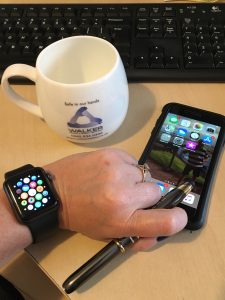
DSE stands for Display Screen Equipment. As the name suggests, a DSE assessment is an assessment of Display Screen Equipment. Display Screen Equipment (DSE) is a device or equipment with a display screen and often refers to a computer screen. However, it includes both conventional display screens and those used in emerging technologies such as laptops, touchscreens and other similar devices.
In a work environment, desktop computers are traditionally looked at when considering DSE, but it is important to consider other display screens such as tablets, laptops and smartphones.
What is a DSE assessment?
A DSE assessment is an assessment of risk from the way we use computers, laptops, tablets and other display screens at work. Each workstation should be assessed, and the risks reduced as low as is practical.
A DSE assessment looks at how a user works at their workstation. Like any risk assessments, the aim is to identify the hazards and assess the likelihood and severity of harm to those that may be affected. Then, reduce the risk by altering the workstation or providing tools to make it comfortable.
If you have sat at a computer screen for a long time, you may already be familiar with some of the hazards. Poor posture or lack of movement throughout the day can lead to back pain. Staring at the screen for long lengths of time can give you headaches.
But it’s not just computer screens that are causing issues. Slouching over your phone, tablet or handheld device for even a short length of time can give you neck and upper back pain.
Why do we need a DSE assessment?
The Health and Safety (Display Screen Equipment) Regulations. These regulations lay out some key requirements for employers surrounding the use of DSE, one of which is the need to carry out a suitable and sufficient assessment of workstations used in the workplace.
2.—(1) Every employer shall perform a suitable and sufficient analysis of those workstations which – (regardless of who has provided them) are used for the purposes of his undertaking by users; or have been provided by him and are used for the purposes of his undertaking by operators The Health and Safety (Display Screen Equipment) Regulations 1992
Any workstation used by your business, regardless of who provides it, should be assessed. So DSE requirements apply to co-working spaces, remote working, temporary workplaces and your own offices.
However, this should not just be considered a tick box exercise to comply with legal requirements. A DSE assessment can actually help combat ill-health and conditions, such as epilepsy and therefore improve health and productivity in the workforce.
DSE assessments can also help increase productivity. This is the result of employees being less tired, and more comfortable while sitting/standing at their workstation.
What does a DSE risk assessment cover?
Problems are often caused by the way we use our DSE. The display screen may not be the cause of back pain, but the way you sit at it could. Computer workstations or equipment can be associated with neck, shoulder, back or arm pain, as well as with fatigue and eyestrain.
So, it’s not just the display screen that needs to be assessed. Everything to do with the use of the equipment should be considered. Other items looked at in the assessment includes, the keyboard, the mouse, furniture and the environment.
The assessment should also encompass the general environment and includes lighting, reflections, glare, temperature, humidity and noise. All of these elements can impact how the equipment is used, and the risks to users.
The business benefits to DSE assessments
Display screen equipment are the most common tool used across all businesses, and can offer many benefits to a business including:
Improved health, wellbeing and morale for DSE users
Sustained production from reduced sick leave
Minimising the risk of compensation claims for upper limb disorders
Reduced administration costs
Encourages positive behaviour and adoption of DSE good practice.
Improved organisation safety
Contact us should you require a DSE Assessment.
The Walker Health and Safety blog is brought to you by the team at Walker Health and Safety Services Limited. You can contact us using the address or email address below or via the form on our main site.
Walker Health and Safety Services Limited
Suite 6, C1, Coalport House,
Stafford Court,
Stafford Park 1,
Telford.
Shropshire.
TF3 3BD.
E-mail: info@walkersafety.co.uk
Telephone: 0845 834 0400
Fax: 0845 834 0401
Guest Blogging
If you feel that you could contribute to this blog then please feel free to send me a proposal of your guest blogging ideas and we can discuss these further info@walkersafety.co.uk . Please note any proposals must be of benefit to my readers from individuals with knowledge of their subject matter.
Many jobs now require the prolonged use of display screen equipment and legislation places specific duties on employers regarding its use. Take a look at our thoroughly revised and updated topic to make sure you are aware of what needs to be done.
Display screen equipment (DSE) is covered by the Health and Safety (Display Screen Equipment) Regulations 1992 (as amended), which promote the safe and effective use of DSE.
All aspects of the equipment and workstation are considered part of work with DSE.
The way in which DSE is used may lead to upper limb disorders, fatigue, stress or eye discomfort.
Excessive force, repetitive activities and poor postures are the three components perceived to be the biggest contributors to ill health associated with DSE work.
Appropriate set up of all features of the workstation can prevent discomfort from work with DSE. Contact us if you require a workstation assessment.
Selection of peripheral items for use with DSE can greatly improve the user’s comfort and effectiveness. Items must be selected for the person or the task to ensure suitability.
Rest breaks and changes of activity are essential in ensuring safe and effective work with DSE.
Checklists can be used to assess DSE work and ensure the workstation is suitable for the user to complete the required tasks.
Contact Walker Health & Safety Services for your health and safety requirements.

Funny warehouse safety cartoon
Here’s your Monday safety refresher to get everyone back into safe working mode.
PPE is not optional just because it’s Monday and someone’s still thinking about Sunday brunch.
If PPE feels “annoying”, imagine how annoying an incident report is.
Mondays are when hazards magically appear:
A quick sweep of your area and reporting hazards keeps everyone upright and paperwork‑free.
The temptation to “just quickly lift it” is strongest on a Monday.
If it looks heavy, it probably is. Check manual handling guidance before attempting heroics.
Forklifts don’t care that it’s Monday — they move fast every day.
If you’re walking through the warehouse while still mentally waking up, stay alert. Machines don’t do Mondays.
For those starting the week at a desk:
If anything feels off, request a DSE assessment before discomfort becomes injury.
Check that:
If you don’t, now’s the time to review fire procedures.
Health & Safety isn’t about ruining Mondays — it’s about making sure everyone gets through them safely, confidently, and without adding “incident report” to the to‑do list.
Start the week steady, alert, and ready for anything.
If you have any queries, please contact us.
Guest Blogging
If you feel that you could contribute to this blog then please feel free to send me a proposal of your guest blogging ideas and we can discuss these further info@walkersafety.co.uk . Please note any proposals must be of benefit to my readers from individuals with knowledge of their subject matter.